Skip to content
Prime Partners, Chartered Accountants
Articles and insights

How to record Cash Boost Payment inside Xero

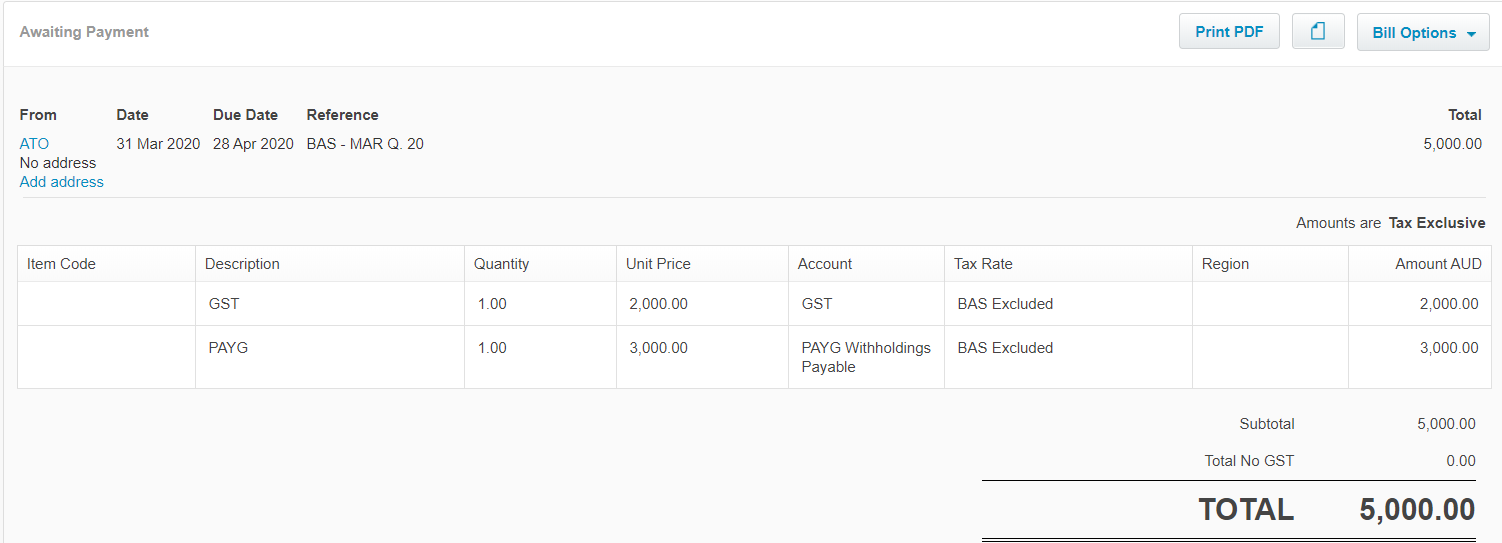
  1. Record your BAS as a purchase bill
    Xero showing an ATO credit note totalling $5,000

Note: in this example, client pays quarterly GST and monthly PAYG and therefore will be eligible to receive a credit equal to 300% of his March PAYGW, ie. 3 x $3,000 = $9,000

The ATO will offset these $9,000 against the March quarter BAS in the Integrated Client Account and transfers a $4,000 refund into your nominated bank account.

  1. Record a Credit note in Xero for the ATO credit
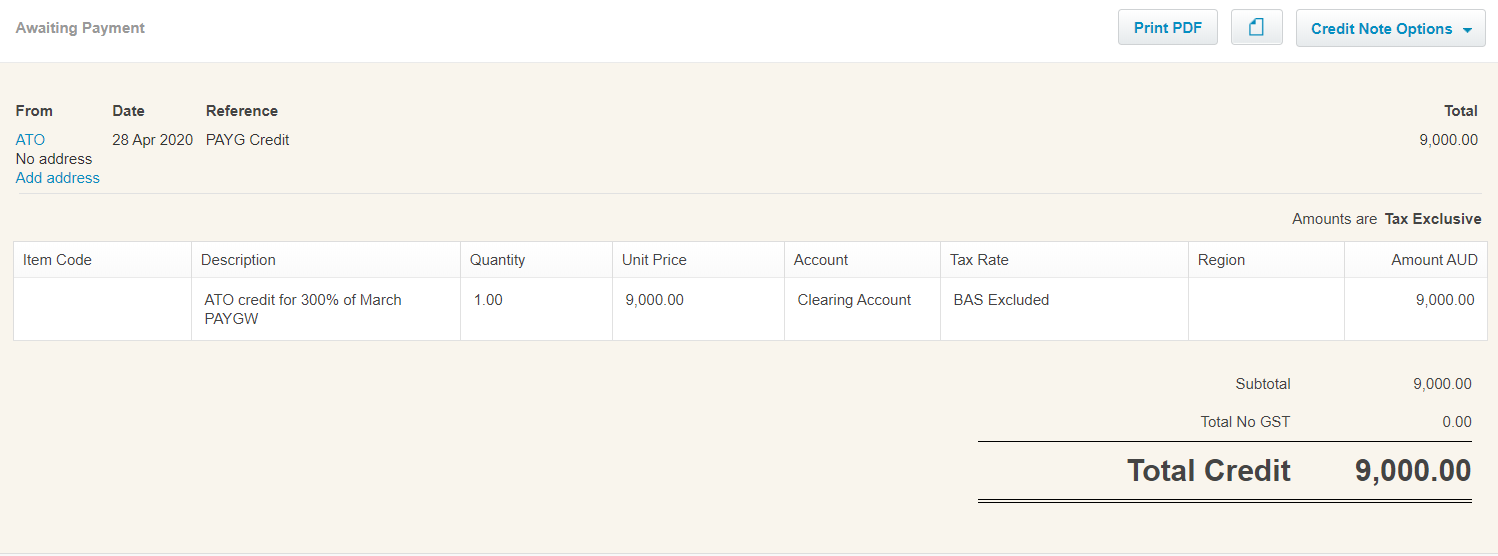
Xero showing the credit note with a total credit of $9,000

  1. Apply this credit to your outstanding March quarter BAS

The remaining $4,000 of the ATO credit can be either applied against your future lodgements or the ATO will deposit this amount into your nominated bank account. (example below)
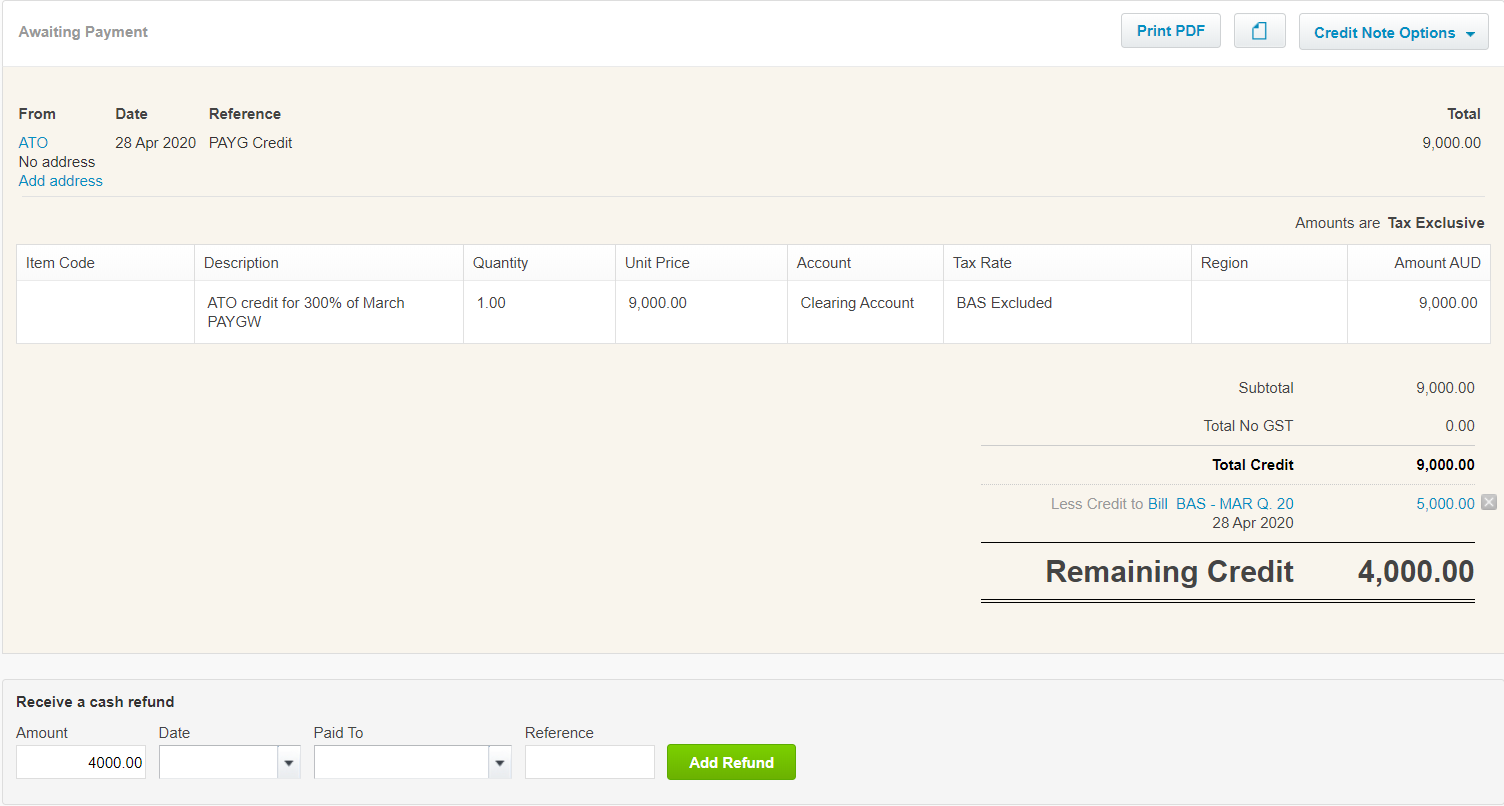
Xero showing $4,000 remaining credit and the cash refund fields

  1. Reconcile refund received from the ATO (or remaining payment on BAS)
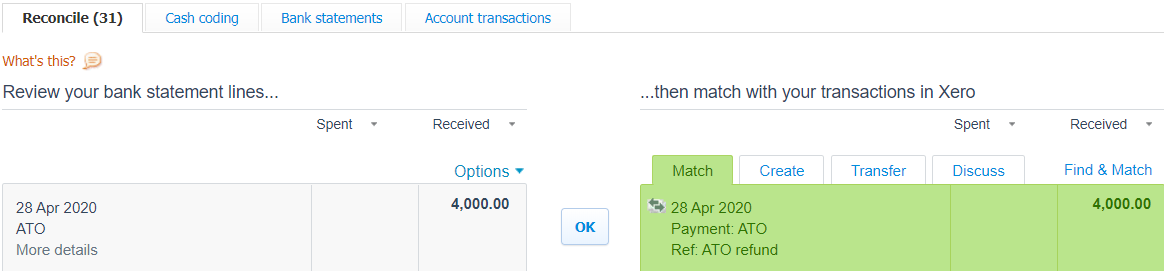
Xero bank reconciliation matching a $4,000 refund from the ATO

James Carey
Written by

James Carey

Director

More about James
Prime Insights

Clear thinking on the decisions that matter.

Once a month we send our latest thinking on tax, business, and the moments that shape a year. Practical, considered, and written for people who would rather understand the why than chase the headline.

Stay in the loop

Some of the biggest calls in a business and a life land between the appointments and the deadlines. Following along keeps you close to how we think, so when one of those moments turns up, you already know where to find us.

Trusted and accredited
★★★★★4.8 on Google from 70+ reviews100+ years combined experience
CPA AustraliaChartered Accountants ANZXero Platinum Partner